
Multi-Day Video Production Equipment: The Complete Planning Guide
Multi-day video production sounds exciting until you’re on day three, a battery dies, a card is full, and the one cable you need is back at the studio. Whether you’re filming a documentary, commercial, live event, or branded content across multiple locations, smart equipment planning is what keeps the shoot moving and the stress levels down.
This practical equipment planning guide walks through how to think ahead, stay flexible, and build a workflow that supports long-form, professional shoots without overpacking or overspending.
Key Takeaways
- Multi-day video production requires planning in phases, not just shoot days—include prep, travel, and weather contingencies.
- Match equipment to each day’s specific needs instead of bringing everything to every location.
- Critical gear needs backups—extra camera bodies, audio recorders, batteries, and media prevent shutdowns.
- Power management is underestimated—label batteries, rotate charging, and assign one crew member to oversee it.
- Organize media workflows daily with proper backups, file naming, and storage protocols to avoid post-production chaos.
- Stagger rental pickups and returns by shoot day to optimize costs without sacrificing capability.
- Crew familiarity with gear boosts efficiency—avoid unnecessary equipment swaps mid-production.
- Plan the end before you start—schedule buffer time for packing, inventory, and footage backup before returns.
Table of Contents
Assessing Production Scope and Duration
Before you even think about gear, zoom out. How many days are you shooting? How many locations will you need? Will you be moving daily or staying put?
Multi-day video production requires you to think in phases, not just shoot days. Include prep days, travel days, and potential weather delays in your video shoot preparation plan. A three-day shoot spread across one studio is very different from a three-day shoot across three cities.
Defining scope early helps you avoid last-minute rentals, rushed logistics, and gaps in coverage that can derail production workflow efficiency.
Matching Gear to the Shooting Schedule
Once your schedule is locked, match equipment to what is actually being shot each day. Not every day needs every camera, lens, or support rig.
For example:
- Day 1 interviews may require cinema cameras, audio kits, and lighting
- Day 2 B-roll might need gimbals, drones, or lightweight setups
- Day 3 live coverage could demand broadcast gear and redundancy
Aligning gear to your schedule improves video production management and keeps setups lean and intentional.
Backup Equipment Planning
If it’s critical, it needs a backup, especially on multi-day shoots.
Think about:
- Extra camera bodies
- Backup audio recorders
- Spare lenses or adapters
- Duplicate cables and media
Managing Battery and Power Needs
Power planning is one of the most underestimated parts of gear planning checklists.
Ask yourself:
- How long will each setup run?
- Are you near electrical outlets or fully mobile?
- Do you need battery chargers overnight?
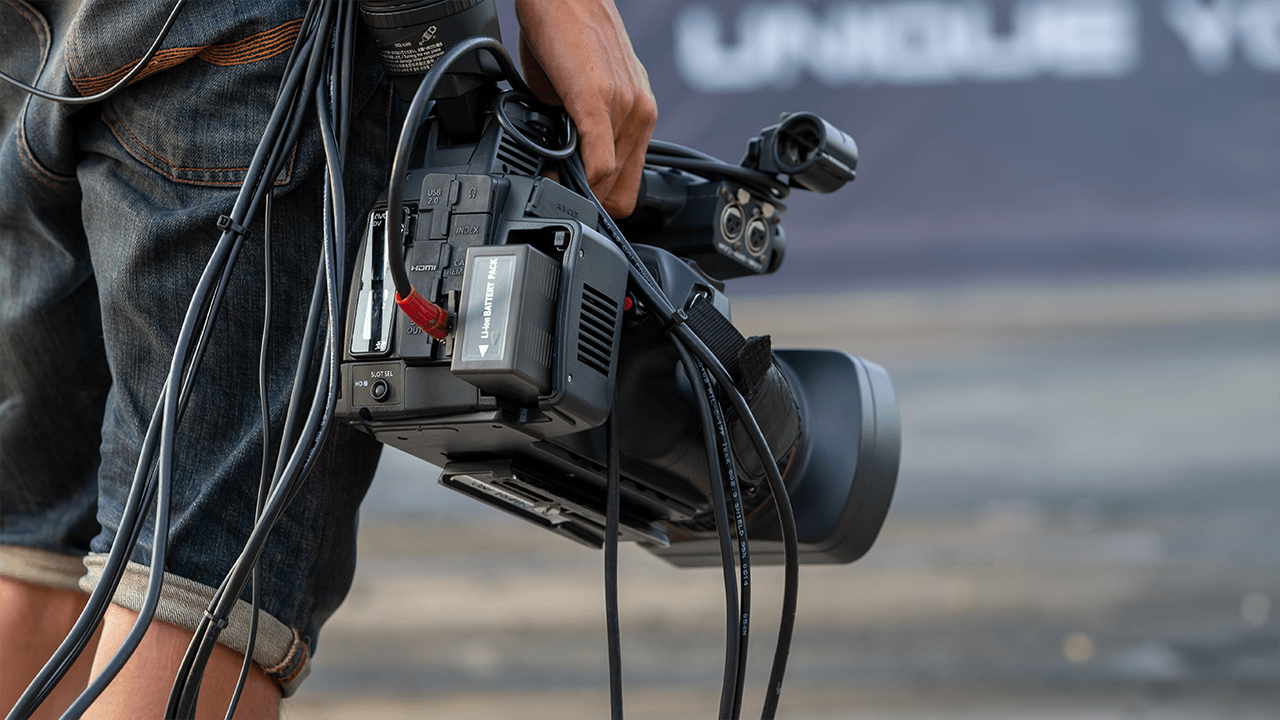
Multi-day productions benefit from labeled batteries, charging rotations, and clear responsibility assigned to one crew member. This small habit can dramatically improve production workflow efficiency.
Storage and Media Workflows
Footage piles up fast over multiple days. Without a plan, storage becomes chaos.
Build a workflow that includes:
- Enough media cards for a full shooting day
- Daily backups (at least two copies)
- Organized file naming by day and location
A clean media workflow isn’t just about safety, it speeds up post-production and keeps professional shoots running smoothly.
Transportation and Security Considerations
Moving gear between days or locations adds risk. Think through how equipment travels and where it lives overnight.
Key considerations:
- Hard cases vs. soft cases
- Locked vehicles or hotel storage
- Minimal gear left unattended on set
Strong transportation planning supports safer production logistics and protects expensive broadcast and cinema equipment.
Rental Duration Optimization
One of the biggest cost leaks in multi-day video production is renting gear longer than needed.
Instead of blanket rentals:
- Stagger equipment pickup and return dates
- Rent specialty gear only for shoot days that need it
- Coordinate broadcast equipment scheduling carefully
Strategic rental duration planning keeps budgets tight without sacrificing capability.
Weather and Environment Planning
Outdoor shoots or travel-heavy productions need contingency gear.
Plan for:
- Rain covers and weather protection
- Extra batteries for cold environments
- Lens cleaning kits for dust or sand
Being proactive saves time, protects gear, and keeps your video shoot preparation adaptable.
Crew Familiarity with Equipment
The best gear in the world doesn’t help if the crew doesn’t know how to use it.
Before day one:
- Confirm operators are comfortable with the camera systems
- Avoid unnecessary gear swaps mid-shoot
- Standardize your setups across days when possible
Crew familiarity boosts speed, confidence, and overall production workflow efficiency.
Post-Shoot Equipment Return Strategies
Finally, plan the end before you start.
After the last shoot day:
- Schedule buffer time for packing and inventory
- Assign someone to verify all gear is accounted for
- Back up footage before returning rented equipment
A clean return process protects your relationships with rental houses and keeps video production management professional from start to finish.
Multi-day video production isn’t about having more gear, it’s about having the right gear at the right time. With thoughtful planning, clear workflows, and smart logistics, you can stay flexible, efficient, and focused on storytelling instead of troubleshooting.
Treat equipment planning as a living system, not a checklist, and your next multi-day production will feel less like survival and more like creative momentum.
Frequently Asked Questions (FAQs)
Equipment needs depend on your shooting schedule and production scope. Start by matching gear to each day’s specific requirements rather than bringing everything. Essential categories include cameras, audio kits, lighting, support rigs, batteries, media storage, and backup equipment for critical items. Plan based on location type, crew size, and whether you’re shooting interviews, B-roll, or live coverage.
Identify any gear whose failure would shut down production, then plan redundancy. This typically includes extra camera bodies, backup audio recorders, spare lenses or adapters, duplicate cables, and additional media cards. You don’t need backups for everything—focus on mission-critical equipment that has no quick replacement option in the field.
Calculate battery needs based on daily shoot duration, access to power outlets, and overnight charging capability. Label all batteries clearly, establish charging rotations, and assign one crew member to manage power workflows. Most multi-day productions benefit from 2-3 battery sets per camera body with dedicated charging time built into the schedule.
Build a daily workflow that includes enough media cards for a full shooting day, immediate backup to at least two separate drives, and organized file naming by day and location. Never reformat cards until footage is backed up in multiple locations. This protects against data loss and speeds up post-production handoff.
Stagger equipment pickup and return dates instead of renting everything for the full production window. Rent specialty gear only for shoot days that actually need it, and coordinate broadcast equipment scheduling carefully. This strategic approach reduces rental duration without sacrificing production capability.
Not necessarily. Match gear to what’s being shot each day. Day 1 interviews might need cinema cameras and lighting kits, while Day 2 B-roll could require gimbals and drones. Day 3 live coverage may demand different broadcast gear entirely. Aligning equipment to your schedule improves efficiency and reduces unnecessary gear.
Use hard cases for transportation between locations, secure locked vehicle or hotel storage overnight, and minimize gear left unattended on set. Plan for weather with rain covers, extra batteries for cold environments, and lens cleaning kits. Strong transportation planning and environmental preparation protect expensive equipment and prevent production delays.
Plan Smarter, Shoot Better
Multi-day video production doesn’t have to mean chaos, last-minute panic, or equipment failures that derail your timeline. With intentional planning, clear workflows, and the right balance of preparation and flexibility, you can focus on what matters most—telling compelling stories and delivering professional results.
The difference between a stressful shoot and a smooth one often comes down to the details: labeled batteries, backup plans for critical gear, organized media workflows, and strategic rental timing. These aren’t just production best practices—they’re what separate amateur scrambling from professional execution.
Whether you’re managing a documentary across multiple cities, filming commercial content over several days, or coordinating a live event production, equipment planning sets the foundation for everything that follows. When your gear is right, your crew is prepared, and your logistics are locked in, creativity flows naturally.
At MTJIBS, we understand that successful video production starts with smart planning and the right partnerships. Whether you need strategic guidance, production support, or a team that knows how to keep multi-day shoots running smoothly, we’re here to help your next project succeed from day one through final delivery.

mtjibs
Contact us today for a quote on the best professional camera movement & crew rental for your next video production project.